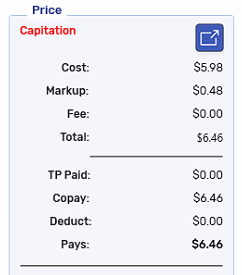
Capitation
Capitation is automatically applied in Propel Rx where applicable according to provincial capitation rules.
If needed, capitation can be manually applied by selecting the Capitation checkbox. When this checkbox is selected, the fee is changed to $0.00, the Capitation text appears in red, and an indicator appears in Rx Detail. Conversely, capitation can be removed by deselecting the checkbox and the prescription will be re-calculated with a fee.